How to play
How do I hit a shot?
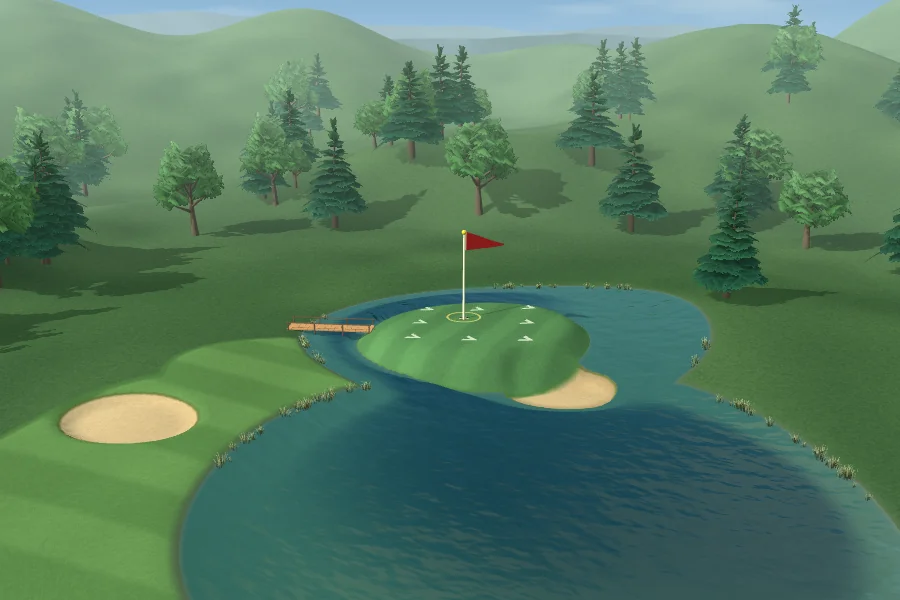
Your caddy lines up a club and a target. Tap Driver, Iron or Wedge to change the club. Tap the ground to move the target, or drag across the course to turn your aim. Course View shows the whole hole from above.
Hold the button and let go inside the gold band. Early comes up short and right. Late goes long and left. Slide off the button to cancel.
What does the caddy do?
When your ball stops, your caddy hits from the same spot. If you are safe it goes for the pin. If you are in trouble it plays safe. The better ball is the one your pair plays next.
On the green the putt is yours. If both balls go in the water, your pair takes one penalty stroke and plays the shot again.
How do I open the next course?
Win holes on the course before it: 6 at Fairhaven opens Redrock Mesa, 9 at Redrock Mesa opens Maple Hollow, 12 at Maple Hollow opens Frostpeak. Every kind of match counts, practice included, once you finish it.
Can I play without an opponent?
Yes. Tap COURSES, then PRACTICE on any open course, for a round against a house team. RANGE has targets at 50, 95 and 150 yards. Both work offline.
Online matches
Who am I playing?
TEE OFF looks for another player for about 8 seconds. If nobody turns up, a house team run by the game takes the seat, and the game tells you it is a house team.
Which matches move my trophies?
Only ranked ones: two players who meet through TEE OFF, both signed in and not already friends. A win is +30. A loss is −15 and never takes you below zero. A draw changes nothing.
Friends who meet through TEE OFF play unranked. Room codes, invites, house teams and practice never move trophies either.
Leaving a match against another player gives it to them. In a ranked match that counts as a loss.
My connection dropped. Did I lose?
Not yet. Your seat is held for 45 seconds and the game reconnects by itself. One match holds it for 90 seconds in total.
If the time runs out against another player, the match is forfeited. Against a house team it ends with no result. If the match finishes while you are away, the game shows you how it ended when it reconnects.
While the server is being updated, a match that loses a player's connection, or isn't over in time, ends with no result and no trophies move. Your profile on PLAY always shows where you stand.
It says online is not available, or to update
Update Scramble Legends in the App Store first. If it still says so, the server may be updating. Practice and the range keep working. Try TEE OFF again in a few minutes.
Friends and names
How do I add a friend?
Tap the people icon on PLAY. Send your friend code to them, or type theirs and tap ADD. They get a request and can accept or decline it.
How do I play with a friend?
Tap INVITE beside a friend who is online. They have one minute to join, and only they can take the seat.
Or tap ROOM CODE, then CREATE ROOM, and send the 5-letter code. No friend request is needed. The room waits for your friend for 5 minutes and no house team steps in. After that, or if you lose the connection while you wait, the code stops working: open a new room.
Who can see my name?
Your friends, and a golfer you send a friend request to. Someone who blocks you keeps your name in their block list, and a former friend keeps it in their own recent activity. Anyone else you play sees your golfer and gear without your name.
To change your name, tap your profile on PLAY, then EDIT.
How do I block or report someone?
Open Friends and tap the three dots beside them. BLOCK removes them and stops them adding or inviting you. REPORT NAME sends their name to us, and they aren't told. Each one asks again before it happens. To undo a block, scroll to BLOCKED on the same page and tap UNBLOCK.
Can other players message me?
No. There is no chat. During a match players can send six fixed emotes. Turn the other team's off in Settings with Rival emotes.
Your account
Do I have to sign up?
No. After you make your golfer, the game opens an account by itself. It is a random ID and a key saved on your phone. There is no email address or password.
What if I delete the app?
The key on your phone goes with it, and a new install starts a new account. The old account stays on our server, so delete the account first if you want it gone.
Delete your account
In the app: tap the gear on PLAY, then DELETE ACCOUNT. Read what goes, tap DELETE ACCOUNT again, then YES, DELETE.
You need to be online. If the server can't delete it at that moment, the app says so and your account stays. If the answer gets lost on the way, the app checks the next time it connects.
Your name, golfer, gear, trophies, record, friends, requests and block list are deleted from our server, and you disappear from your friends' lists. Your course progress and unlocked gear are cleared from the phone. If you are in a match against another player, it is forfeited. The app then goes back to its first screen and does not open another account until you finish making a golfer again. What stays after deletion is in the privacy policy.
Contact us
Tell us your iPhone model, what you were doing and what you saw. If it is about your account, add your 8-character friend code from the Friends page.